

Introduction
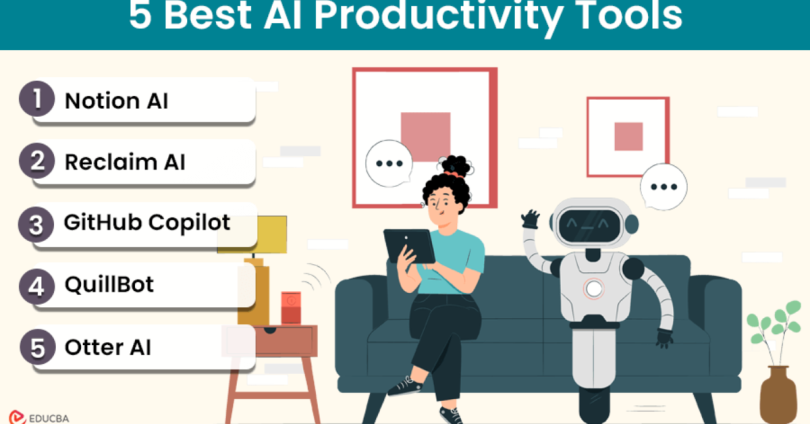
What AI Tools Are and How They Improve Productivity
AI (Artificial Intelligence) tools are software applications that use machine learning and automation to perform tasks that typically require human effort. These tools can analyze data, generate content, automate repetitive processes, and assist with decision-making—helping users complete tasks faster and more efficiently.
Growing Importance of AI in Daily Work and Business
AI is becoming an essential part of modern workflows, from small personal tasks to large-scale business operations. Professionals, students, and businesses are increasingly relying on AI to streamline communication, improve accuracy, and boost productivity across various fields.
Benefits of Using AI Tools
Time-Saving
AI can automate repetitive and time-consuming tasks, allowing users to focus on more important work.
Automation
From scheduling to data analysis, AI tools handle routine processes with minimal manual input.
Improved Efficiency
AI enhances productivity by reducing errors, speeding up workflows, and providing smart insights.
What Readers Will Learn From This Guide
This guide will help you:
- Understand the role of AI tools in everyday tasks and professional work
- Discover popular AI tools across different categories
- Learn how to use AI effectively to save time and increase productivity
- Make informed decisions when choosing AI tools for your needs
AI Writing and Content Creation Tools

a. Popular Tools
ChatGPT
An AI-powered writing assistant that helps generate content, answer questions, draft emails, and create blog posts quickly and efficiently.
Grammarly
Focuses on grammar, spelling, and tone correction. It enhances writing clarity and ensures professional-quality communication.
Copy.ai
Designed for marketing and content creation, offering tools to generate social media posts, product descriptions, and ad copy.
Jasper AI
A powerful AI writing tool for businesses and creators, ideal for long-form content, marketing campaigns, and brand-focused writing.
b. Key Features
Content Generation
Create blogs, emails, reports, and social media content in seconds with AI assistance.
Grammar and Tone Correction
Automatically fix grammar mistakes and adjust tone to match formal, casual, or professional writing styles.
Idea Generation and Rewriting
Generate new ideas, outlines, or rewrite existing content for better clarity and engagement.
c. Benefits
Saves Time on Writing Tasks
Automates drafting and editing, reducing the time needed to create content.
Improves Content Quality
Enhances readability, structure, and tone for more polished output.
Helps Overcome Writer’s Block
Provides suggestions and ideas to keep content flowing when you’re stuck.
d. Tips for Beginners
Use AI for Drafts, Not Final Content
Treat AI-generated text as a starting point and refine it with your own voice.
Always Proofread AI-Generated Text
Check for accuracy, tone, and context to ensure the content meets your needs.
Customize Tone and Style
Adjust prompts and outputs to match your personal or brand voice for better results.
AI Task Management and Organization Tools
a. Popular Tools
Notion AI
Enhances note-taking and project management by adding AI features like summarization, task generation, and content organization.
ClickUp AI
An all-in-one productivity platform with AI-powered task creation, document generation, and workflow management.
Motion
Uses AI to automatically plan your day by scheduling tasks, meetings, and priorities based on deadlines and availability.
Trello with AI Integrations
Combines visual task boards with AI-powered automation tools to streamline workflows and improve task tracking.
b. Key Features
Smart Task Suggestions
AI recommends tasks, priorities, and next steps based on your activity and goals.
Automated Scheduling
Automatically organizes your calendar by assigning time slots to tasks and deadlines.
Workflow Optimization
Improves efficiency by identifying bottlenecks and suggesting better ways to manage tasks and projects.
c. Benefits
Better Organization
Keeps tasks, notes, and schedules structured and easy to manage.
Reduced Manual Planning
Minimizes the need for manual scheduling and prioritization.
Improved Productivity
Helps you focus on important tasks while AI handles repetitive planning work.
d. Tips for Beginners
Start with Basic Task Tracking
Begin by listing and organizing tasks before using advanced AI features.
Gradually Use Automation Features
Introduce AI scheduling and suggestions step by step to avoid confusion.
Integrate with Calendar Apps
Sync tools with your calendar to get the most out of automated scheduling and reminders.
AI Task Management and Organization Tools
a. Popular Tools
Notion AI
Enhances note-taking and project management by adding AI features like summarization, task generation, and content organization, making it easier to manage both personal and professional workflows.
ClickUp AI
An all-in-one productivity platform with AI-powered task creation, document generation, and workflow management, ideal for teams and individuals.
Motion
Uses AI to automatically plan your day by scheduling tasks, meetings, and priorities based on deadlines and availability.
Trello with AI Integrations
Combines visual task boards with AI-powered automation tools to streamline workflows and improve task tracking.
b. Key Features
Smart Task Suggestions
AI recommends tasks, priorities, and next steps based on your activity, deadlines, and goals.
Automated Scheduling
Automatically organizes your calendar by assigning optimal time slots to tasks and deadlines.
Workflow Optimization
Identifies inefficiencies and suggests better ways to manage tasks, helping improve overall productivity.
c. Benefits
Better Organization
Keeps tasks, notes, and schedules structured, reducing clutter and confusion.
Reduced Manual Planning
Minimizes the effort needed for planning, scheduling, and prioritizing tasks.
Improved Productivity
Allows you to focus on high-impact work while AI handles repetitive planning and organization.
d. Tips for Beginners
Start with Basic Task Tracking
Begin by listing and organizing your tasks before using advanced AI features.
Gradually Use Automation Features
Introduce AI-powered scheduling and suggestions step by step to avoid overwhelm.
Integrate with Calendar Apps
Sync your tools with calendar apps to fully benefit from automated scheduling and reminders.
AI Communication and Meeting Tools
a. Popular Tools
Otter.ai
An AI-powered tool that records meetings and provides real-time transcription, making it easy to capture conversations and review them later.
Fireflies.ai
Automatically records, transcribes, and analyzes meetings, helping teams track discussions and extract key insights.
Zoom AI Companion
Built into Zoom, this AI assistant provides meeting summaries, highlights, and smart suggestions to improve collaboration.
Microsoft Copilot (for Meetings)
Integrated with Microsoft Teams, it offers AI-generated summaries, action items, and insights from meetings and chats.
b. Key Features
Meeting Transcription
Converts spoken conversations into written text, making it easy to review and search discussions.
Automatic Summaries
Generates concise summaries of meetings, highlighting key points and decisions.
Action Item Tracking
Identifies tasks, responsibilities, and follow-ups discussed during meetings.
c. Benefits
Saves Time on Note-Taking
Eliminates the need to manually write notes during meetings.
Improves Team Communication
Ensures everyone stays aligned with clear summaries and shared information.
Keeps Records of Discussions
Maintains a searchable history of meetings for future reference and accountability.
d. Tips for Beginners
Review Summaries for Accuracy
AI-generated summaries may miss context, so always double-check important details.
Use Recordings for Reference
Revisit recordings to clarify discussions or verify decisions.
Share Notes with Team Members
Distribute summaries and action items to keep everyone informed and accountable.
You may also like to read these posts:
Beginner’s Guide: How to Install Software on Windows/Mac
Top Tips to Improve Website Performance and User Experience
Beginner’s Guide: How to Solve Common Technology Problems
Beginner-Friendly Tech Guides: Learn Technology the Easy Way
Latest Gadget Insights 2026: Top Tech Trends and Must-Have Devices
AI Time Management and Focus Tools
a. Popular Tools
RescueTime
Tracks how you spend time on apps and websites, providing detailed insights to help improve productivity and reduce distractions.
Clockwise
An AI-powered scheduling assistant that optimizes your calendar by organizing meetings and creating uninterrupted focus time.
Reclaim AI
Automatically schedules tasks, habits, and breaks into your calendar, helping you balance work and personal time efficiently.
Focus@Will
Uses scientifically designed music to improve concentration and maintain focus during work sessions.
b. Key Features
Time Tracking
Monitors how much time you spend on tasks, apps, and websites to identify productivity patterns.
Smart Scheduling
AI organizes your calendar, prioritizes tasks, and creates dedicated focus blocks.
Focus Enhancement
Provides tools like music, timers, and distraction blockers to improve concentration.
c. Benefits
Better Time Management
Helps you plan your day effectively and stay on top of tasks and deadlines.
Reduced Distractions
Identifies time-wasting activities and encourages more focused work habits.
Increased Productivity
Optimizes your schedule and workflow, allowing you to accomplish more in less time.
d. Tips for Beginners
Track Daily Habits
Start by monitoring how you spend your time to identify areas for improvement.
Set Realistic Goals
Break tasks into manageable chunks and avoid overloading your schedule.
Combine with Task Management Tools
Use alongside tools like Trello or ClickUp to plan, schedule, and execute tasks more effectively.
Faqs:
What are the best AI tools for productivity in 2026?
Some of the best AI tools include ChatGPT for writing, Notion AI for organization, Grammarly for editing, Canva AI for design, and Otter.ai for meeting transcription.
Are AI productivity tools free to use?
Many AI tools offer free versions with basic features, while advanced features may require a paid subscription. Beginners can start with free plans and upgrade if needed.
How can AI tools improve productivity?
AI tools automate repetitive tasks, assist with content creation, manage schedules, and provide smart insights, helping users save time and work more efficiently.
Which AI tool is best for writing and content creation?
Tools like ChatGPT, Grammarly, and Copy.ai are popular for writing, editing, and generating ideas, making them ideal for beginners and professionals.
Is it safe to use AI tools for work and personal tasks?
Most reputable AI tools are secure, but users should avoid sharing sensitive information, use strong passwords, and review privacy settings to stay saf
Conclusion
The best AI tools for productivity in 2026 are designed to help you work smarter, save time, and stay organized. From AI writing assistants like ChatGPT and Grammarly to task management tools like Notion AI, design platforms like Canva AI, and meeting helpers like Otter.ai, there’s an AI solution for almost every daily task.
By starting with a few tools that match your needs and gradually exploring their features, you can automate repetitive tasks, streamline workflows, and boost efficiency. Embrace these AI tools to transform the way you work, study, and manage everyday responsibilities.


