


Introduction
Importance of Efficiency in Work and Daily Life
In today’s fast-paced world, efficiency is key to managing both professional responsibilities and personal tasks. Being able to complete work quickly and effectively not only saves time but also reduces stress and improves overall productivity.
How Tools Help Save Time and Reduce Workload
Modern tools simplify complex tasks by automating repetitive processes, organizing information, and streamlining workflows. From managing schedules to handling communication, these tools help reduce manual effort and allow you to focus on what truly matters.
Growing Role of Automation and AI in Productivity
Automation and AI are transforming how we work by handling routine tasks, analyzing data, and providing smart insights. These technologies enable faster decision-making, minimize errors, and significantly boost productivity across different fields.
What Readers Will Learn From This Guide
This guide will help you:
- Discover essential tools for improving efficiency in daily tasks and work
- Understand how automation and AI can enhance productivity
- Learn practical tips to save time and reduce workload
- Choose the right tools based on your personal or professional needs
Productivity and Task Management Tools
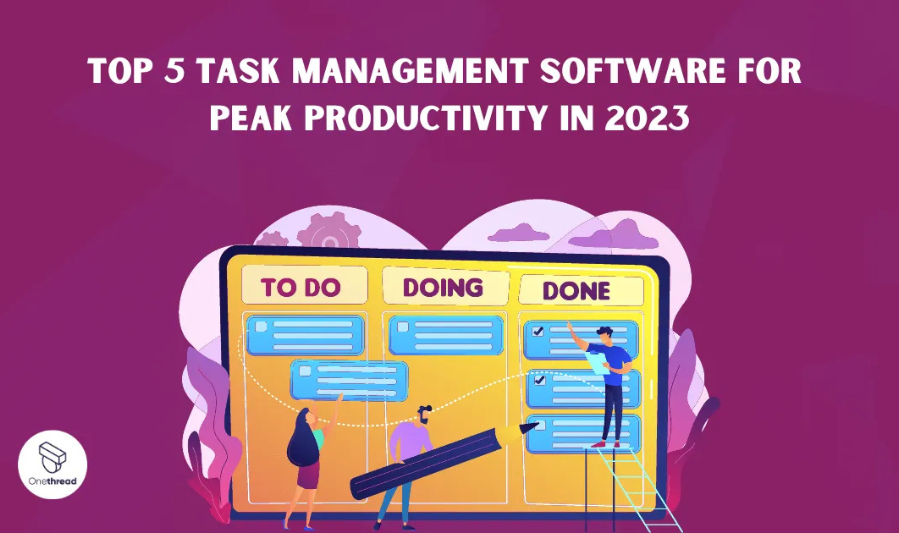
a. Popular Tools
Trello
A visual task management tool that uses boards, lists, and cards to organize tasks and workflows.
Asana
A powerful platform for tracking tasks, managing projects, and collaborating with teams efficiently.
Todoist
A simple yet effective task manager with reminders, priorities, and project organization features.
ClickUp
An all-in-one productivity tool combining tasks, documents, goals, and collaboration features.
b. Key Features
Task Creation and Tracking
Easily create tasks, assign them, and monitor progress from start to completion.
Deadlines and Reminders
Set due dates and receive notifications to ensure tasks are completed on time.
Project Organization
Organize tasks into projects, lists, or categories for better clarity and workflow management.
c. Benefits
Better Task Organization
Keeps all tasks structured and accessible in one place.
Increased Accountability
Assign responsibilities and track progress to ensure tasks are completed.
Improved Workflow Management
Streamlines processes and helps teams or individuals work more efficiently.
d. Tips for Beginners
Start with Simple Task Lists
Begin with basic lists before moving to advanced features like automation or integrations.
Use Labels and Priorities
Categorize tasks by urgency or importance to stay focused.
Break Large Tasks into Smaller Steps
Divide complex tasks into manageable steps to improve productivity and reduce overwhelm.
Time Management and Focus Tools
a. Popular Tools
RescueTime
Tracks how you spend time on apps and websites, providing insights into productivity and distractions.
Pomofocus
A simple Pomodoro timer that helps break work into focused intervals with short breaks.
Clockify
A free time-tracking tool for individuals and teams, offering timesheets and productivity reports.
Forest
A gamified focus app that encourages you to stay off distractions by growing virtual trees during focus sessions.
b. Key Features
Time Tracking
Monitor how much time you spend on tasks, apps, and activities throughout the day.
Focus Timers
Use techniques like the Pomodoro method to maintain concentration and avoid burnout.
Productivity Reports
Analyze data through reports to understand habits and improve time management.
c. Benefits
Identify Time-Wasting Habits
Recognize distractions and reduce unproductive activities.
Improve Concentration
Structured focus sessions help maintain attention and efficiency.
Build Better Routines
Encourages consistent work habits and balanced schedules.
d. Tips for Beginners
Track Time Daily
Consistently record your activities to gain accurate insights into your routine.
Use Pomodoro Technique
Work in short, focused intervals (e.g., 25 minutes) followed by breaks to stay productive.
Review Weekly Performance
Analyze reports to identify patterns and make improvements for better efficiency.
Time Management and Focus Tools
a. Popular Tools
RescueTime
Tracks how you spend time on apps and websites, providing valuable insights into productivity patterns and distractions.
Pomofocus
A simple Pomodoro timer that helps break work into focused intervals followed by short breaks, improving concentration.
Clockify
A free time-tracking tool for individuals and teams, offering timesheets, task tracking, and detailed productivity reports.
Forest
A gamified focus app that encourages you to stay away from distractions by growing virtual trees during focused work sessions.
b. Key Features
Time Tracking
Monitor how much time you spend on tasks, apps, and daily activities to better understand your habits.
Focus Timers
Use structured techniques like the Pomodoro method to maintain concentration and avoid burnout.
Productivity Reports
Analyze reports and insights to identify trends and improve time management strategies.
c. Benefits
Identify Time-Wasting Habits
Recognize distractions and reduce unproductive activities.
Improve Concentration
Focused work sessions help maintain attention and increase efficiency.
You may also like to read these posts:
Beginner’s Guide: How to Install Software on Windows/Mac
Top Tips to Improve Website Performance and User Experience
Beginner’s Guide: How to Solve Common Technology Problems
Beginner-Friendly Tech Guides: Learn Technology the Easy Way
Latest Gadget Insights 2026: Top Tech Trends and Must-Have Devices
Build Better Routines
Encourages consistent work habits and balanced daily schedules.
d. Tips for Beginners
Track Time Daily
Consistently record your activities to gain accurate insights into your routine.
Use Pomodoro Technique
Work in short, focused intervals (e.g., 25 minutes) followed by breaks to stay productive and refreshed.
Review Weekly Performance
Analyze reports regularly to identify patterns and make improvements for better efficiency.
Automation and AI Tools
a. Popular Tools
ChatGPT
An AI-powered assistant that helps with content creation, brainstorming, task automation, and answering queries quickly.
Zapier
Connects different apps and automates workflows by creating triggers and actions between tools without coding.
Notion AI
Enhances productivity within Notion by generating content, summarizing notes, and organizing information automatically.
Make (Integromat)
A powerful automation platform that allows you to build complex workflows and integrate multiple apps visually.
b. Key Features
Task Automation
Automates repetitive tasks such as data entry, email responses, and notifications.
Workflow Integration
Connects multiple apps and services to create seamless workflows across platforms.
AI-Generated Content
Generates text, summaries, ideas, and other content to speed up work processes.
c. Benefits
Save Time on Repetitive Tasks
Reduces manual effort by automating routine processes.
Reduce Manual Effort
Minimizes the need for constant input, allowing you to focus on higher-value tasks.
Increase Productivity
Streamlines workflows and improves efficiency across personal and professional tasks.
d. Tips for Beginners
Start with Simple Automations
Begin with basic workflows like email notifications or task updates before moving to complex automations.
Use Templates and Pre-Built Workflows
Leverage ready-made templates to save time and understand how automation works.
Faqs:
What are the best tools to improve efficiency in 2026?
Some of the best tools include Trello, Asana, Todoist, Slack, ChatGPT, and Google Drive, which help with task management, communication, automation, and organization.
Can free tools really help improve efficiency?
Yes, many free versions of tools like Trello, Clockify, and Google Workspace offer essential features to manage tasks, track time, and collaborate effectively.
How do AI tools improve efficiency?
AI tools like ChatGPT can automate repetitive tasks, generate content, provide suggestions, and save significant time, allowing you to focus on higher-priority work.
Which tool is best for managing daily tasks?
Tools like Todoist, Trello, and Asana are excellent for daily task management because they allow task organization, deadlines, and progress tracking.
How should beginners start using efficiency tools?
Start with one or two essential tools that match your needs, learn their core features, and gradually add more tools to your workflow for maximum efficiency.
Conclusion
Using the best tools to improve efficiency in 2026 can help you work smarter, stay organized, and get more done in less time. From task management tools like Trello and Asana, to communication platforms like Slack and AI-powered solutions like ChatGPT, these tools streamline workflows, reduce repetitive work, and boost productivity.
Start with a few essential tools that match your workflow, explore their features gradually, and build a system that works best for you. With the right tools in place, improving efficiency becomes easier, more manageable, and highly effective.


